A quick tour of Rank Thesis
Where everything lives: workspace, websites, tool groups, page actions and settings.
Rank Thesis has two parts: a dark sidebar on the left and the page on the right. Everything you do starts in the sidebar.
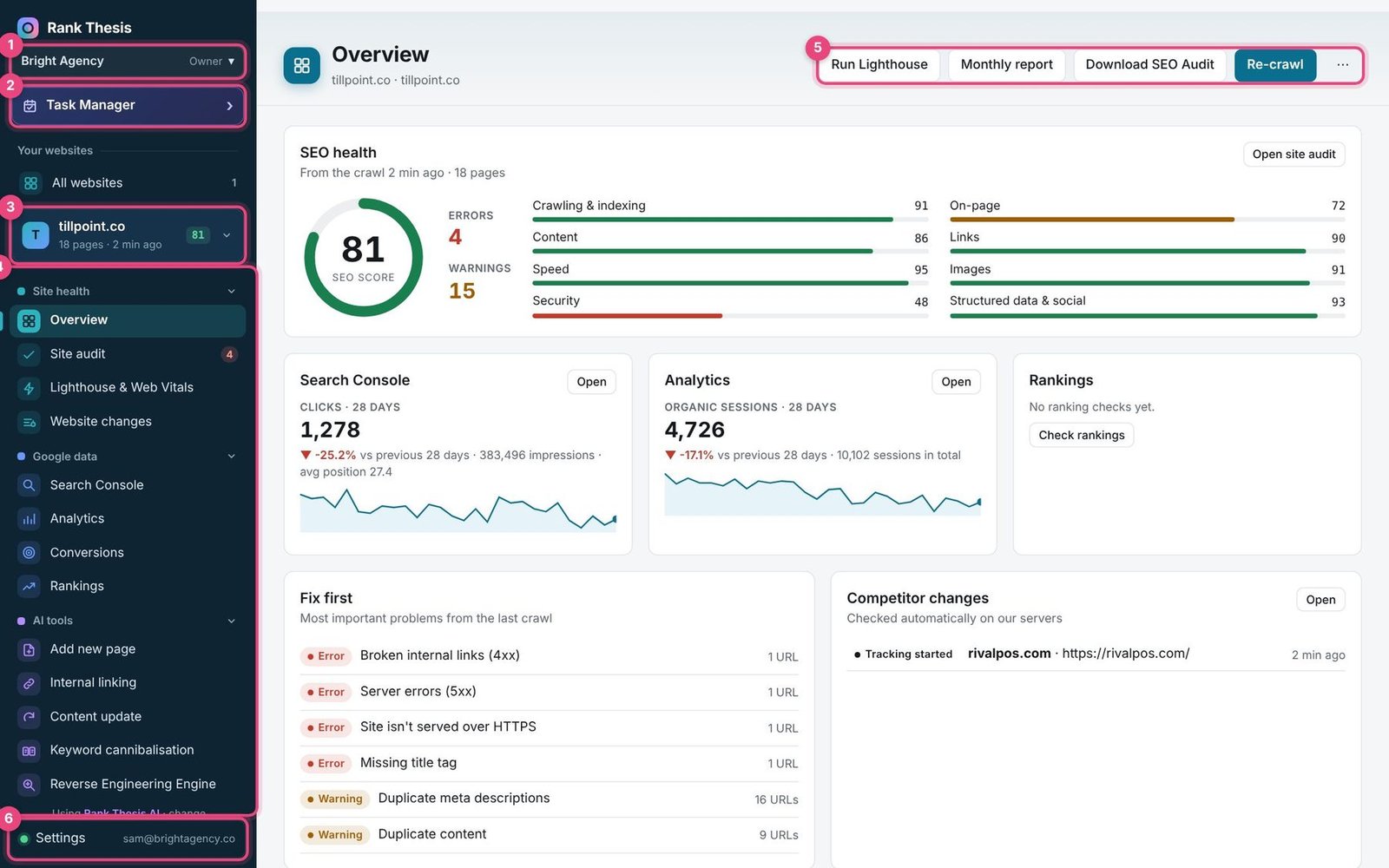
- Workspace: the name of the workspace you’re in and your role. Click it to switch workspace, see your team or make a new workspace.
- Task Manager: your team’s tasks, due dates and recurring work.
- Your websites: All websites shows every site at a glance. Under it, the website you’re working on. Click it to switch website or add a new one.
- Tools, in groups: Site health, Google data, AI tools, Competitors, Local SEO and Page tools. Click a group’s name to fold it away.
- Page actions for the current website: Run Lighthouse, Monthly report, Download SEO Audit and Re-crawl. The ⋯ button has more, such as renaming or removing the website.
- Settings: your account, team, Google connection, AI, alerts and crawler. The small text beside it shows whether Google is connected.
Tools for any website
On All websites you’ll also find four buttons that work for any address, not just the websites you’ve added:
- Add new website: adds a website and crawls it (how to).
- Quick Crawl: checks any website without saving it (how to).
- Geo-Location Changer: searches Google as someone in another place (how to).
- Keyword Research: finds keywords with search volumes (how to).
Rank Thesis works in any modern browser on Windows, Mac or Linux. Nothing to install.
Still stuck? Our team is happy to help.
Email support