Create a monthly SEO report
A friendly, stats-only Word report of search performance, traffic, rankings and work done.
The Monthly report is a short, positive Word document (.docx) for clients: search performance, keyword rankings, traffic, conversions, Lighthouse scores, what improved and next steps. It doesn’t list issues or audit findings.
-
Press Monthly report
Open the website and press Monthly report at the top of the page.
-
Choose the period and add details
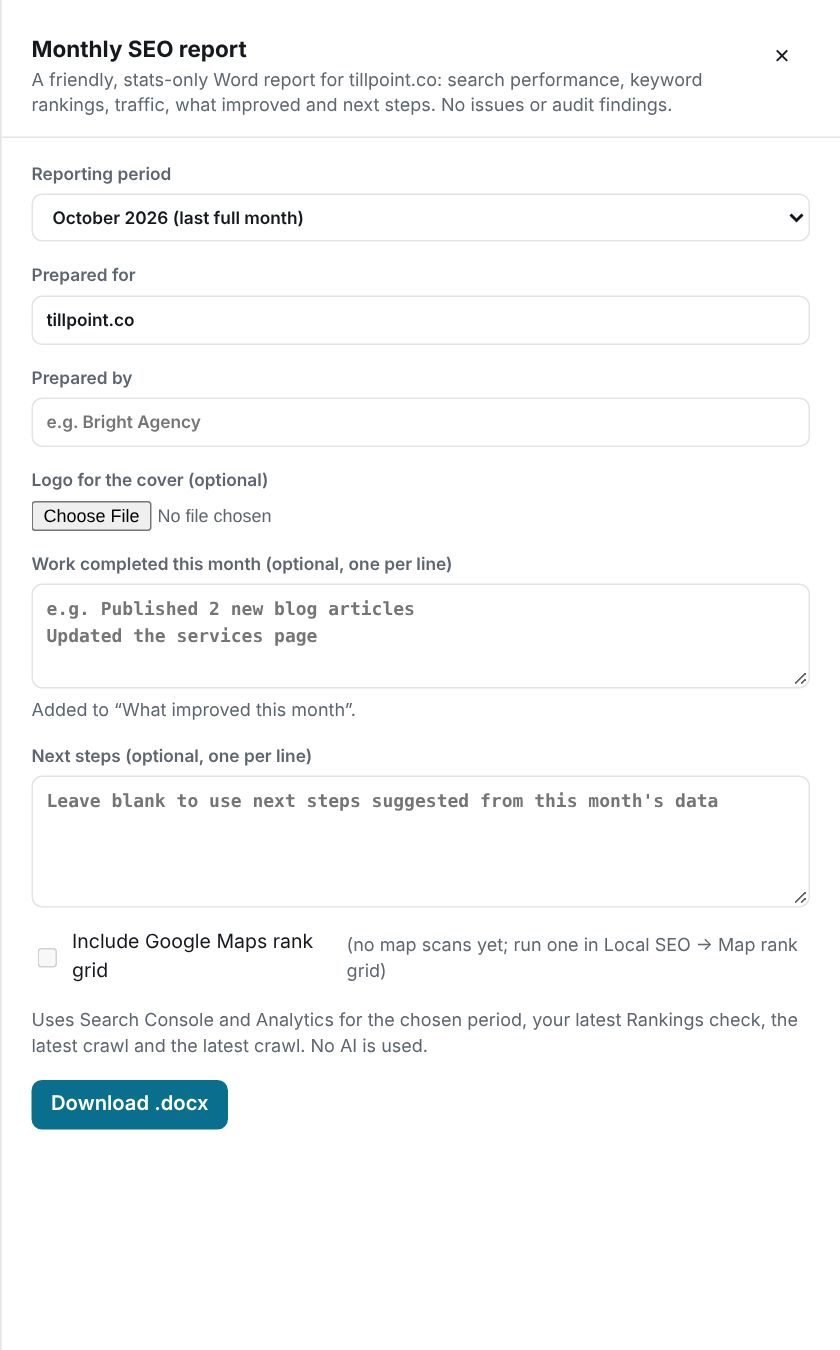
Pick the Reporting period; the last full month is chosen for you. Add who it’s Prepared for and Prepared by, and a logo for the cover.
-
Add your work and next steps
Type the Work completed this month, one item per line, and your Next steps. Leave next steps blank to use suggestions from the month’s data. Tick Include Google Maps rank grid to add your latest map scan.
-
Download
Press Download .docx.
Still stuck? Our team is happy to help.
Email support