Search Console: clicks, keywords and quick wins
See how a website performs in Google search and find the easiest keywords to improve.
The Search Console page shows how the website performs in Google search: clicks, impressions, average position, and the keywords and pages behind them. You need to connect Google first.
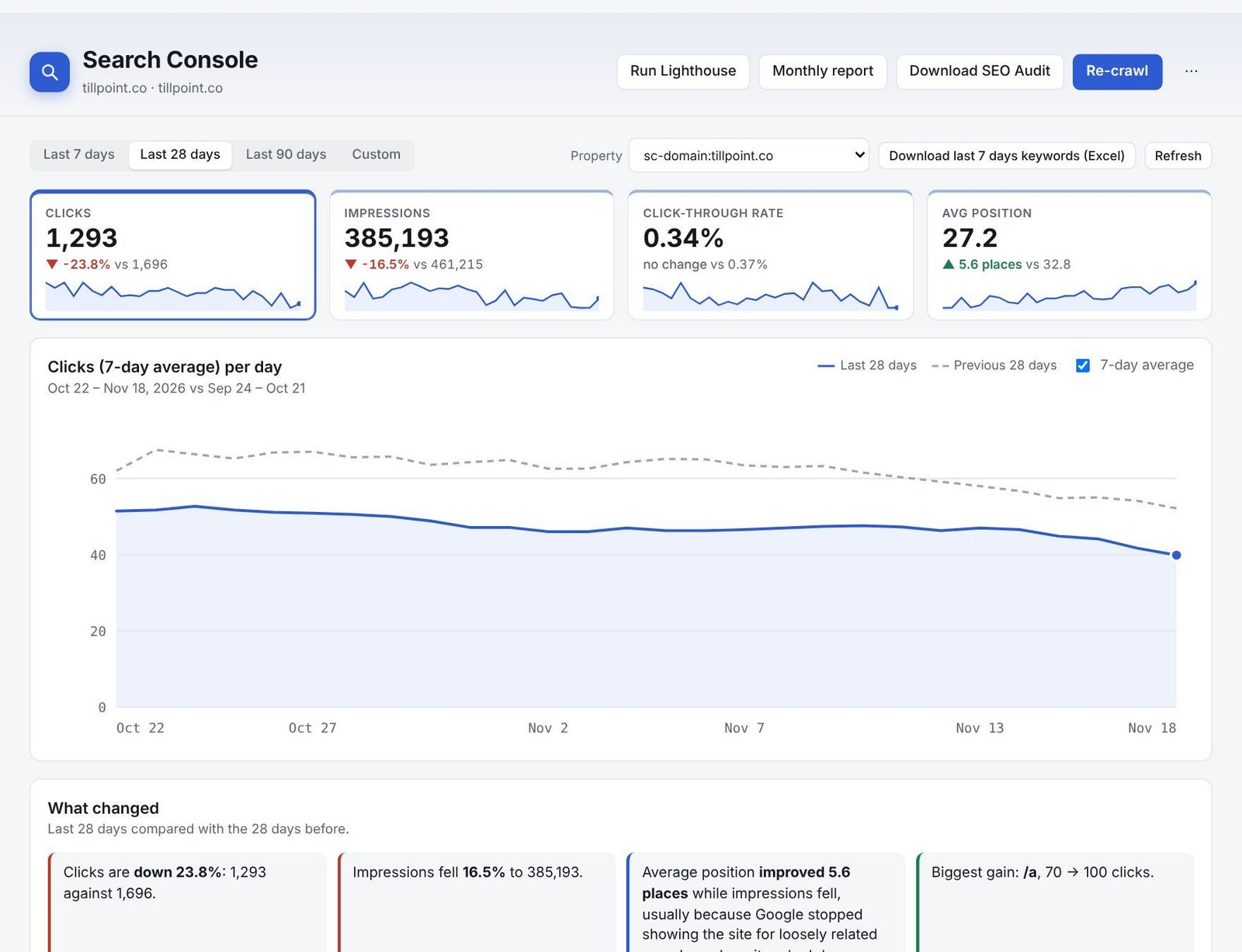
The top of the page
- Period: last 7, 28 or 90 days, or custom dates. Everything is compared with the same number of days just before.
- Clicks, Impressions, Click-through rate and Average position, with how much each changed. Click one to show it on the chart.
- What changed: plain-language notes on what moved and why, for example “Clicks are down 23.8% while impressions fell”.
Pages and keywords
Trending pages and Pages losing traffic show the biggest gains and losses in clicks. Keywords bringing traffic lists every search that brought clicks, with the change in position. Use Non-brand to hide searches for the business’s own name, and Track top keywords to check them in Rankings.

Quick wins
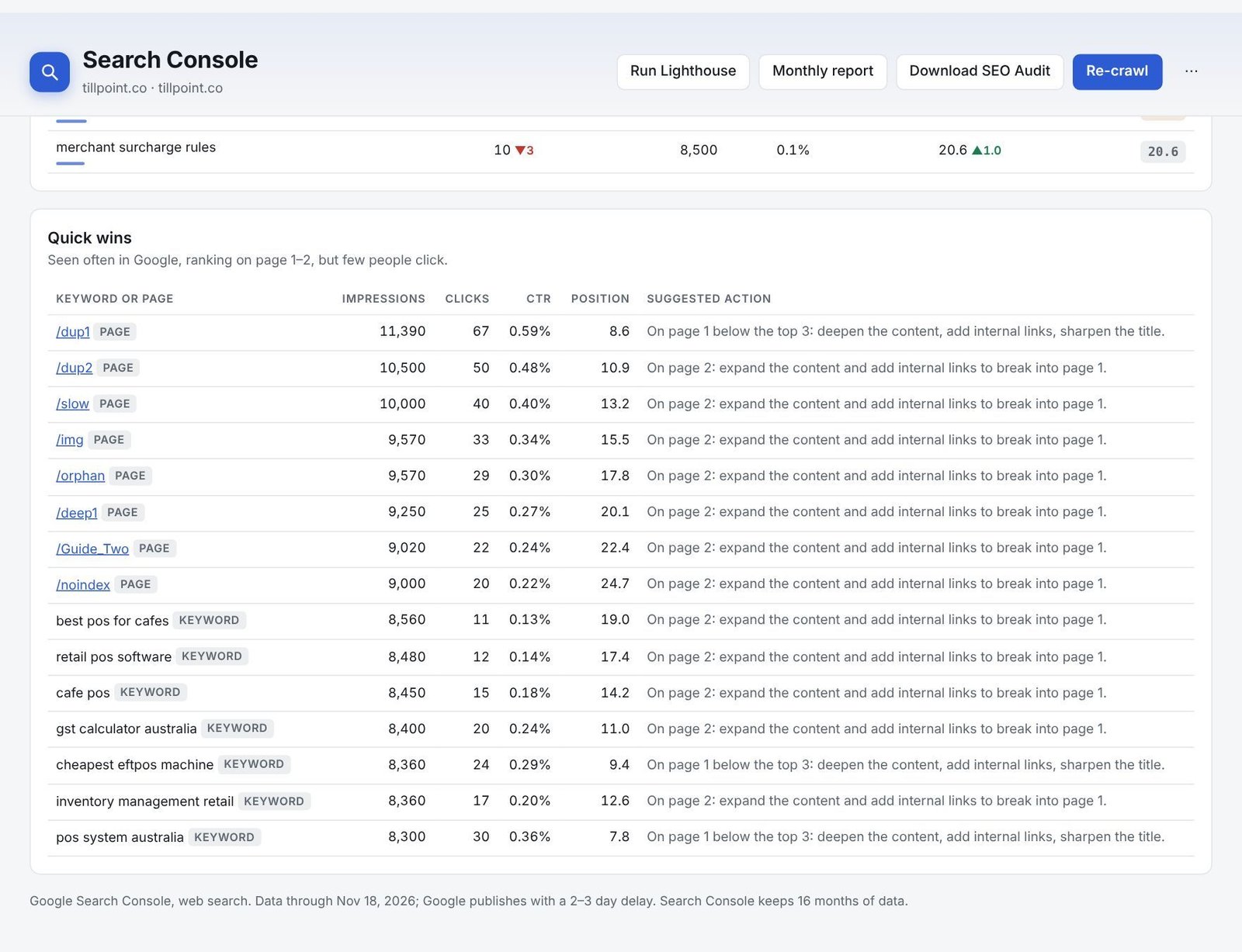
Quick wins are searches where the website is seen often and ranks on page 1 or 2, but few people click. Each comes with a suggested action, such as deepening the content or adding internal links. These are usually the fastest way to grow traffic.
Still stuck? Our team is happy to help.
Email support