Set up recurring work
Create regular tasks, like monthly reports, automatically for the right people.
Recurring work creates regular tasks automatically: a monthly report for each website, a weekly Search Console check, and so on. Each person ticked gets their own copy, and everyone can see whether it’s done.
-
Open Recurring
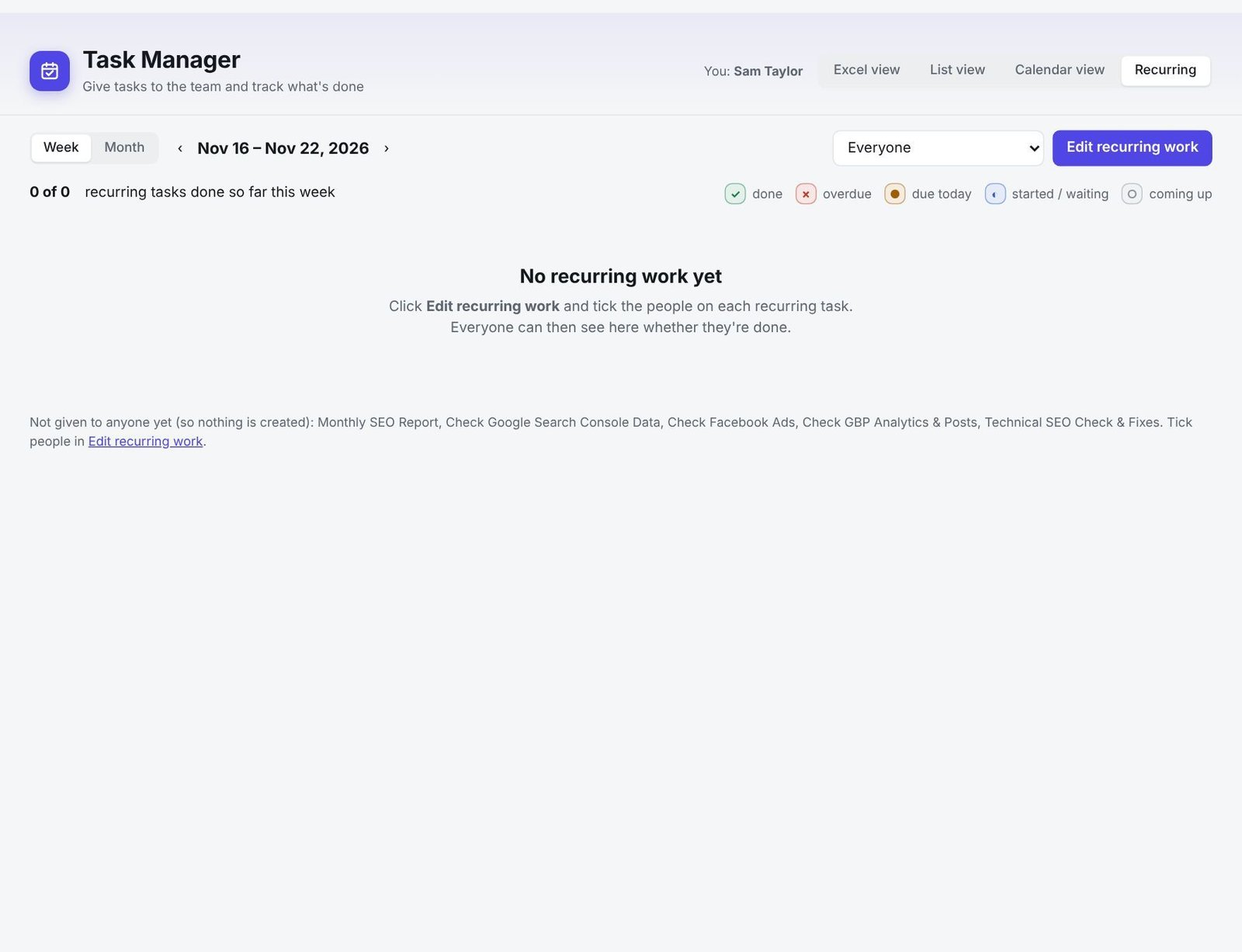
In the Task Manager, press Recurring at the top, then Edit recurring work.
-
Start from the standard SEO set
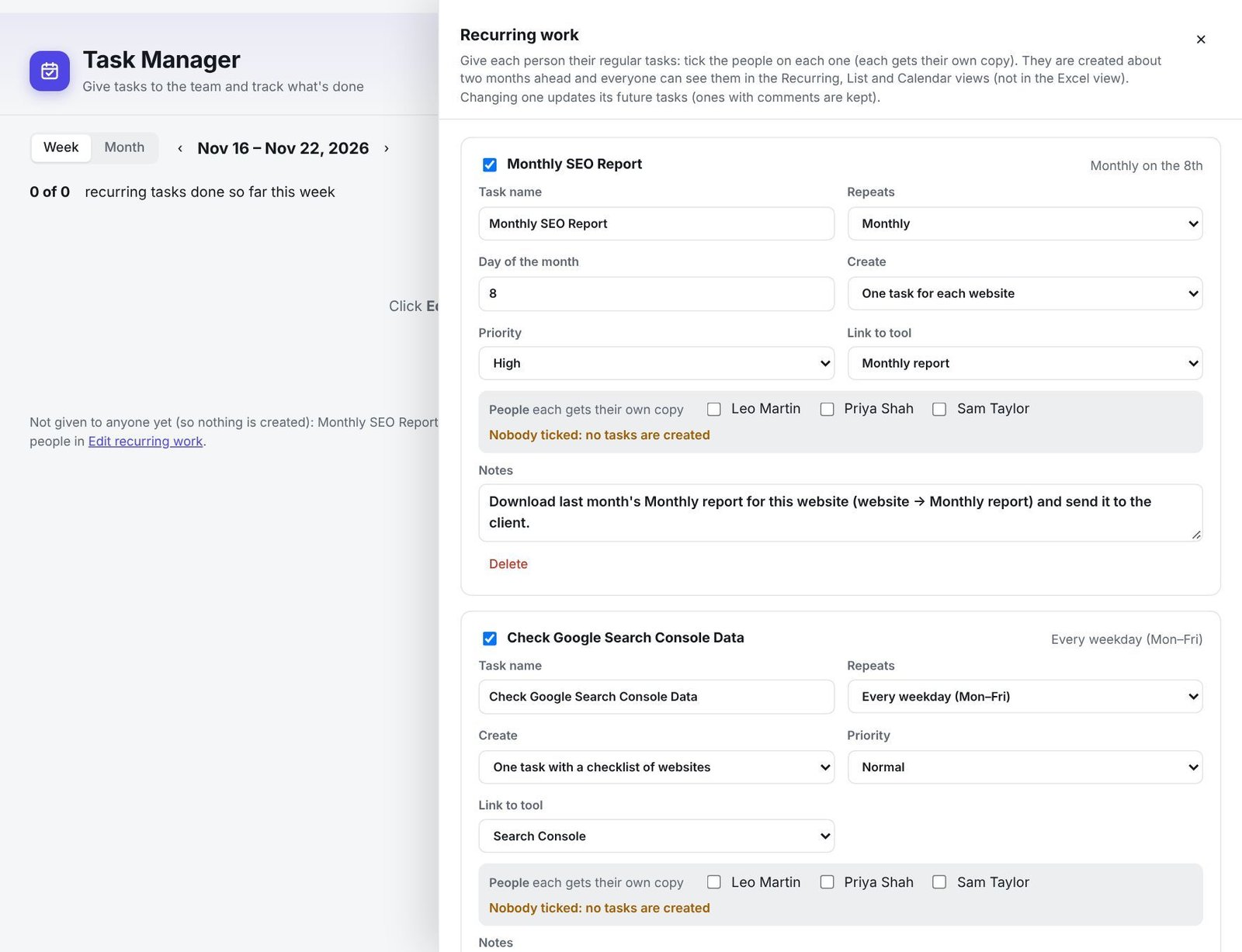
A standard set is ready to use: Monthly SEO Report, Check Google Search Console Data, Check Facebook Ads, Check GBP Analytics & Posts and Technical SEO Check & Fixes. Edit or delete any of them, or press + Add recurring task.
-
Choose how it repeats
Set the task name, how often it repeats (for example monthly on a day, or every weekday), its priority and a tool to link to. Choose One task for each website or One task with a checklist of websites.
-
Tick the people
Tick who should do it. Nobody ticked means no tasks are created. Press Save recurring work.
Still stuck? Our team is happy to help.
Email support