Use workspaces for clients or teams
Keep clients or teams apart in their own workspaces and switch between them.
A workspace holds websites, a team, a Google connection, settings and tasks. Most people only need one. Agencies sometimes make one per client or per team to keep things apart.
-
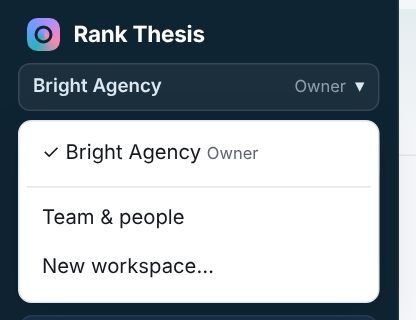
Open the workspace menu
Click the workspace name at the top of the sidebar.
-
Switch or create
Pick a workspace to switch to it. Choose New workspace… to create one; you’re its owner.
-
Invite people to it
Each workspace has its own team, so invite the people who should see it. Someone can be in several workspaces with a different role in each.
Each workspace has its own plan. Nothing is shared between workspaces: websites, Google connection and tasks all stay inside their workspace.
Leaving a workspace
To leave a workspace someone else owns, open Settings → Team and press Leave this workspace.
Still stuck? Our team is happy to help.
Email support